
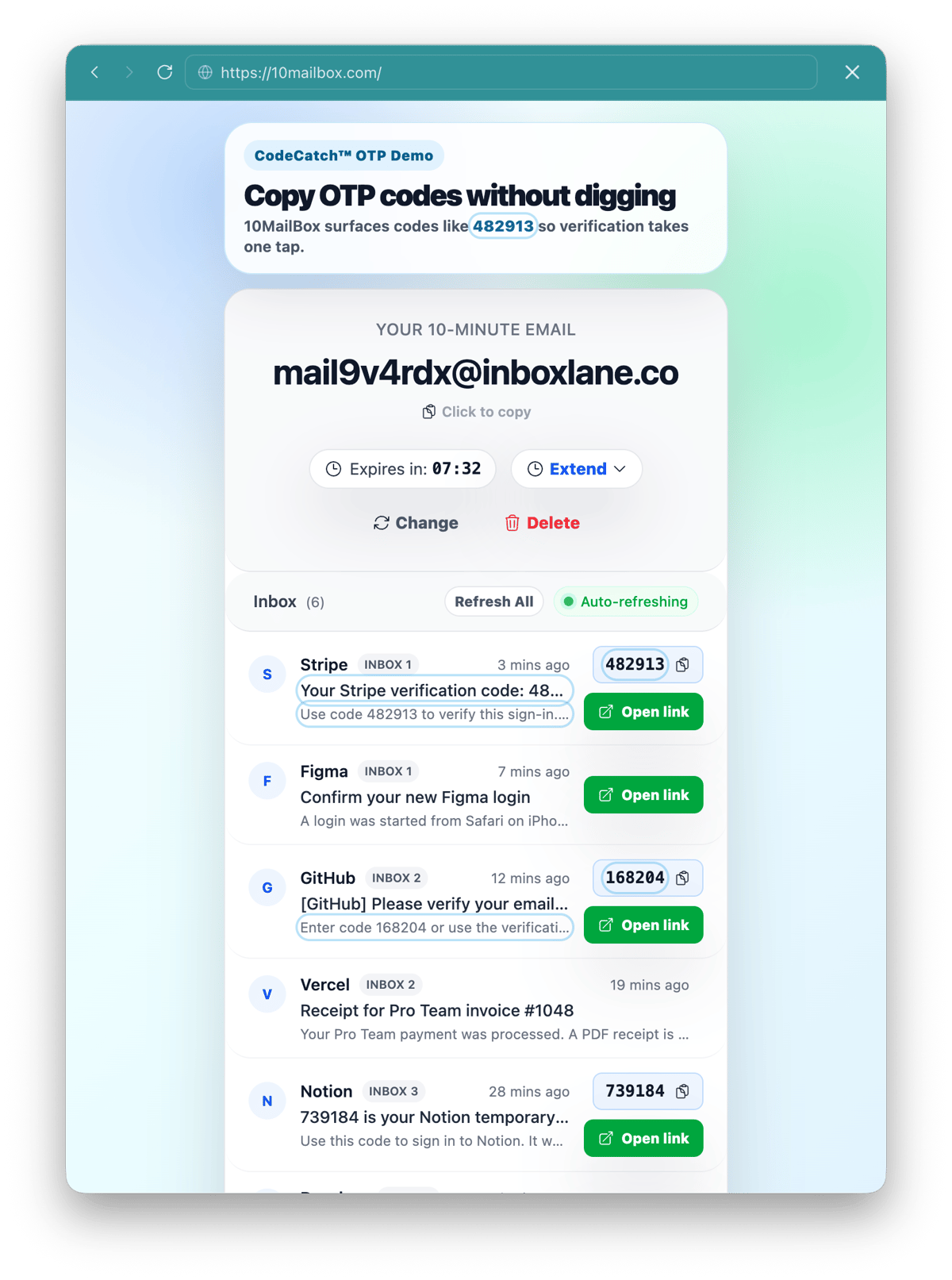
CodeCatch helps surface common OTP codes inside a 10-minute temporary inbox.
Use 10MailBox when a website sends a one-time password or security code by email. Copy the 10-minute email address on the homepage, wait for the code, then use it before either the inbox expires or the OTP becomes invalid.
This workflow is useful for testing registration flows on forums, low-risk game accounts, demo tools, newsletter gates, app trials, and development environments where you only need one short-lived verification code.
Use the homepage inbox tool
The live OTP inbox appears above this article and on the homepage: open the 10MailBox tool. Keep the page open while you request the code so you can copy the OTP as soon as the message appears.
How to receive OTP codes without a real email
You can receive OTP codes without exposing your personal inbox by using a temporary email address for a short, low-risk verification step. The address should only be used when you do not need future password recovery through that mailbox.
- Open 10MailBox.
- Copy the temporary address.
- Paste it into the website that will send the OTP.
- Submit the form and return to the inbox.
- Copy the code from the incoming email.
- Paste the code into the original website before it expires.
How CodeCatch copies OTP codes faster
CodeCatch™ is designed to scan incoming email content for common verification-code patterns. It helps reduce the time spent opening a message and visually searching through subject lines, paragraphs, branded buttons, and footer text.
The feature is most useful when the email contains a standard numeric login code. If a sender uses an unusual format, open the email and copy the code manually.
Which code formats does CodeCatch support?
CodeCatch focuses on common OTP formats used by login and verification emails. Typical examples include 4-digit codes like 4821, 5-digit codes like 91305, 6-digit codes like 284913, and 8-digit codes like 73918420.
Some services use alphanumeric tokens or longer recovery strings. Those may still appear in the email body, but they should not be treated as guaranteed one-click extraction cases.
What are the best platforms to test a temporary OTP inbox?
The best places to test a temporary OTP inbox are low-risk services where account recovery does not matter. Examples include forum registrations, game community accounts, newsletter trials, software demo signups, staging apps, QA environments, and throwaway test accounts.
Do not use a temporary inbox for Netflix, Discord, payment apps, banking, healthcare, business tools, or any account you may need to recover later. Even if a temporary address works at signup, losing the mailbox can make future recovery impossible.
Troubleshooting: Why is my OTP code expired or missing?
If the code does not arrive, check the address, wait briefly for sender delays, and make sure the website accepts temporary email domains. Many missing-code cases are caused by sender throttling, duplicate requests, domain blocks, or an inbox that expired before delivery.
If the code arrives but does not work, request a fresh code from the original website. Many OTPs expire within 5 to 15 minutes or become invalid immediately after a newer code is requested.
Safe use for OTP emails
Do not use 10-minute email for OTP codes tied to financial, medical, legal, enterprise, or permanent personal accounts. If an account needs long-term recovery access, use an email address you control permanently.
10MailBox is best for quick, low-risk verification steps where the email task ends inside the 10-minute window.
Related pages
- Complete guide: How to Use a 10-Minute Email Address.
- Link workflow: Quick Email for Verification Links.
- Common questions: 10MailBox FAQ.
FAQ
Can I receive OTP codes with 10MailBox?
Yes. You can receive email OTP codes when the sender accepts temporary email domains and the code arrives before the 10-minute inbox expires.
What code lengths does CodeCatch support?
CodeCatch focuses on common 4-digit, 5-digit, 6-digit, 7-digit, and 8-digit verification, login, security, and one-time password patterns.
What if CodeCatch does not detect the code?
Open the email message and copy the code manually. Automatic detection speeds up the normal case, but unusual sender templates may still require manual reading.
Get your OTP email
Open 10MailBox, copy your 10-minute email address, and wait for the next verification code to arrive.